QNode™
The First
Q-SYS® Touchscreen
Alternative
Until now, you had one option. And when a project calls for touchscreens in every room, you already know what happens to the budget. QNode puts native UCI control on every wall with built-in serial, relays, and I/O. One panel. One cable. No WebView. No UCI app.
Dealer pricing on request.


QPlayer™ — Turn Idle Screens Into Branded Content
Replace the standard black timeout screen with fully customizable dynamic content. Designed in a live canvas editor built into QNode's web GUI. No licenses. No external servers. Nothing extra to buy.
Live canvas editor
Drag, drop, resize, and snap layers right in your browser. Add text, images, video, icons, and live datetime. What you see is what plays.
5 template slots per device
Save up to 5 different layouts. Swap them out anytime from the web GUI — great for seasonal content or rotating messages.
Layer animations
Add pulse, spin, zoom, or fade to any layer. Each animates independently in a continuous loop — no coding required.
Fleet-aware switching
QPlayer sees every QNode on the network. Jump to any device's GUI in one click, or copy templates between devices without touching each one individually.
Standalone. No cloud required.
Everything runs on the QNode itself. Accessible via each device's web GUI. No external server, no subscription, no license key — just plug in and design.
See It in Action
Plug it in, mount it, deploy desired UCI. That's it.
Commissioned in less than 90 seconds.
Manual Setup
Enter IP and UCI token directly — full control over every parameter.
The math while you watch. Every quarter you pass on QNode, you're writing proposals with premium panel pricing plus separate I/O hardware on projects where one QNode would have done the job for less.
Why QNode™
The Problem You Already Know
Every Q-SYS® platform project needs touchscreens. Every integrator knows the math. TSC panels at premium pricing. Separate I/O expanders for serial and relay. Multiple cable runs. Multiply by every room. The budget conversation gets uncomfortable fast. The alternative is an iPad on a wall, which works until the client asks why their million-dollar building has a consumer tablet screwed to the drywall.
What We Built
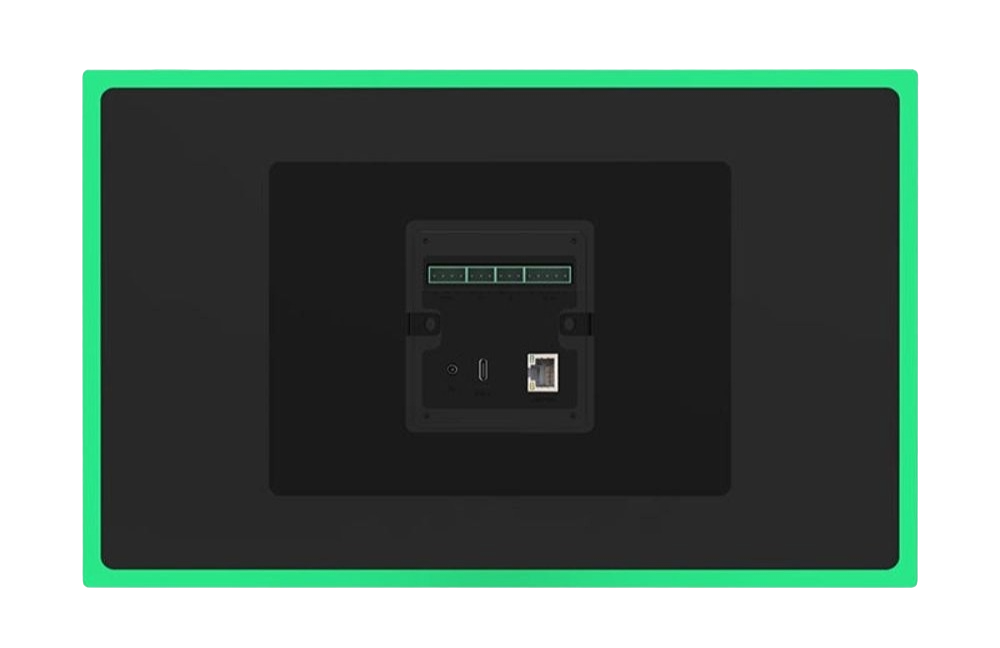
QNode is a dedicated, purpose-built touchscreen controller for Q-SYS® environments. The MyQuan UCI Engine renders your UCI natively on the hardware. Not in a browser. Not in an app. Natively. Every button state, every fader position, every camera feed, drawn in real time and communicated directly to your Core over QRC. Serial ports, relays, digital outputs, QSense motion detection, and built-in room scheduling, all in the panel. One device. One PoE cable. Complete room control.
What We're Not
QNode is not a Q-SYS® product. It is not Q-SYS® Certified. It doesn't support Q-SYS® AV Bridging. If your deployment requires Bridging, the QSC TSC is the right tool for that specific job.
But count the rooms in your next project that need AV Bridging. Now count the ones that just need a touchscreen on the wall to control displays, adjust volume, select sources, and turn on lights. Those rooms are why QNode exists.
We're a new company. We don't have 20 years of history. What we have is a product that works, a growing list of real deployments, and the kind of direct support that disappears the moment a company scales beyond caring. Reach out and you'll talk to the person who built QNode. Try that with anyone else.
Free Plugin. No License. No Catch.
Every QNode ships with a free Q-SYS Designer® plugin. Unlimited devices. No per-design license. No annual subscription. No feature gating. Ever. Download it right now and explore the interface before you spend a dollar. You don't even need a QNode to see how the plugin works.
Deploy a UCI, configure serial ports, trigger relays, control the LED ring, and manage screen settings — all from inside Q-SYS Designer®. One plugin handles every QNode on the network.
Download PluginNew to QNode? Get set up in minutes with the Getting Started guide.

Trusted by Integrators

"The motion-triggered room start gets a reaction out of everyone who walks into the demo room."
"We started with one screen. We have three QNodes now, and we're about to add two more for the new room scheduling feature."
— Tele-Optics Inc., Kingsport, TN
Tele-Optics replaced a Q-SYS® TSC-101-G3 with a QNode 15, added a QNode 10 to a second room, and used built-in QSense motion detection for an automated room start with a personalized welcome message.
See our first deployment in action
View Live DeploymentsWhich QNode™ Is Right for Your Project?
Same software. Same plugin. Same I/O. The difference is screen size and where you're mounting it.
QNode 10
10.1"
1280×800 portrait display. Mounts to a standard US dual-gang box — same footprint as a light switch plate. Best for hallways, huddle rooms, smaller conference spaces, and any room where you need wall-mount control without a large panel.
- Standard dual-gang wall mount
- More favorable pricing than TSC-101-G3
- PoE or 12V DC — power supply included
QNode 15
15.6"
1920×1080 Full HD landscape display. The first dedicated 15-inch alternative to Q-SYS brand touchscreens ever built. Best for conference rooms, boardrooms, lobbies, and command centers where a larger surface makes the room feel finished.
- Full HD 1920×1080 landscape
- Comparable or better pricing than TSC-101-G3
- 50% more screen than the TSC-101-G3
Both models run the same firmware, same plugin, and include QPlayer™, QSense, Room Scheduling, RS232, RS485, relays, and digital I/O.
Ready to see what QNode™ can do?
Get in touch for demos or to place an order. We're integrators too. We speak your language.